 XSV/DEV
XSV/DEV
XSV/DEV
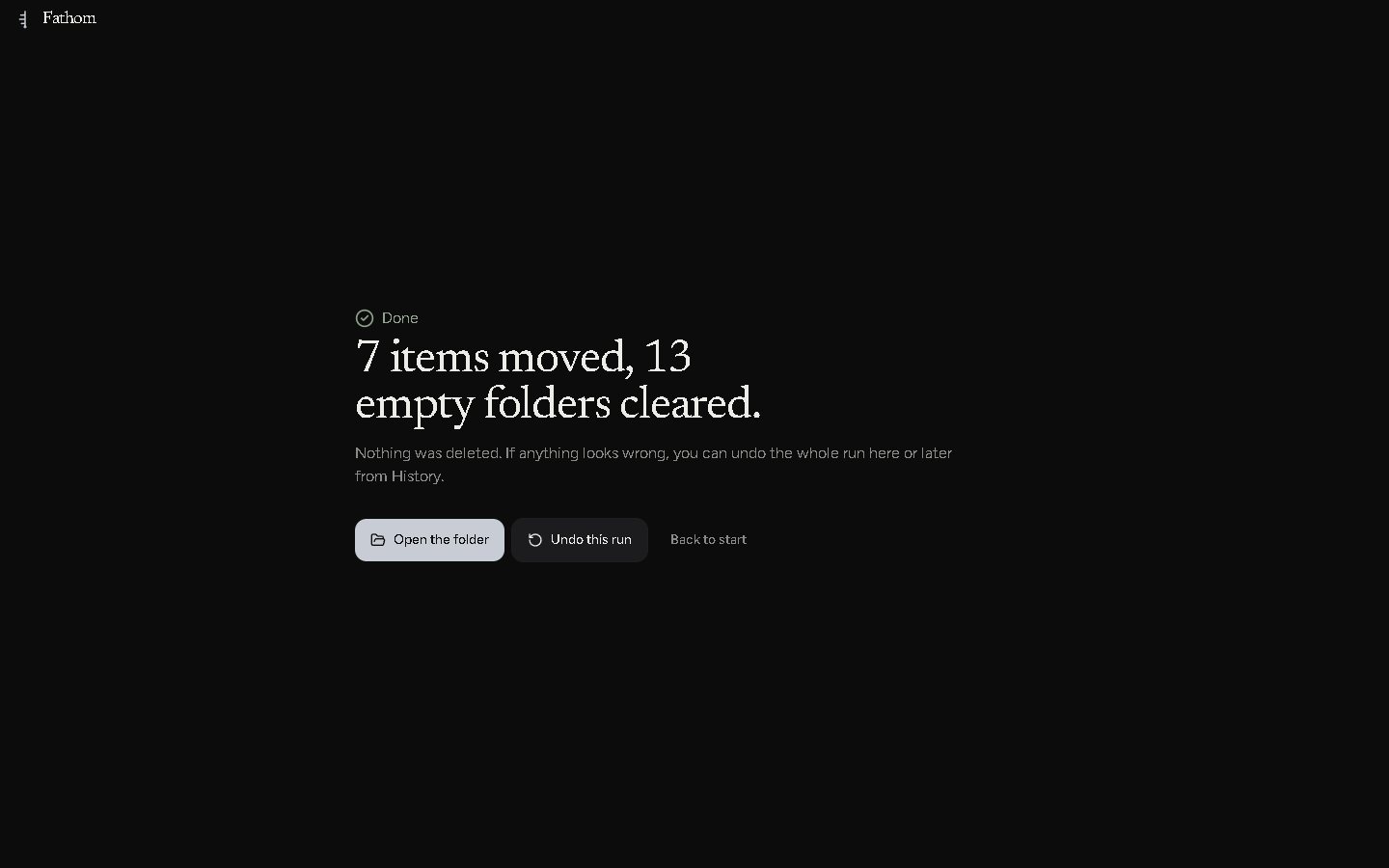
Fathom is a Windows app that measures how deep your folder mess goes, then hauls it back up to the surface. Nothing gets deleted. Every run can be undone. It's free.
Windows 10 & 11 · 64-bit · v1.0.0 · MIT license
This path ships with the app as the sample desk. It's forty folders deep. Anything eight or more down is in red, because by then you've lost the right to call it organized. At the bottom there's a tax return.
Every computer I've owned has a folder called New folder. Inside it is New folder (2). Somewhere below that, a person (me) made a folder named why, and then kept going.
Desktop, Downloads, a backup of an old laptop sitting inside a backup of an older laptop, and a folder of Android apps I took apart one weekend and never spoke of again.
The cleanup tools I tried did one of two things. Some sorted every file by extension, which turns a code project into 400 loose files in a folder called Code. The rest wanted me to drag things around by hand, which is exactly how the mess got made.
Fathom started as a browser prototype that could plan a cleanup and then hand you a zip file of the plan. That's a mechanic who writes you a lovely note about your brakes and gives you your car back. So I rebuilt it as a real desktop app that actually moves the files, carefully, with a paper trail.
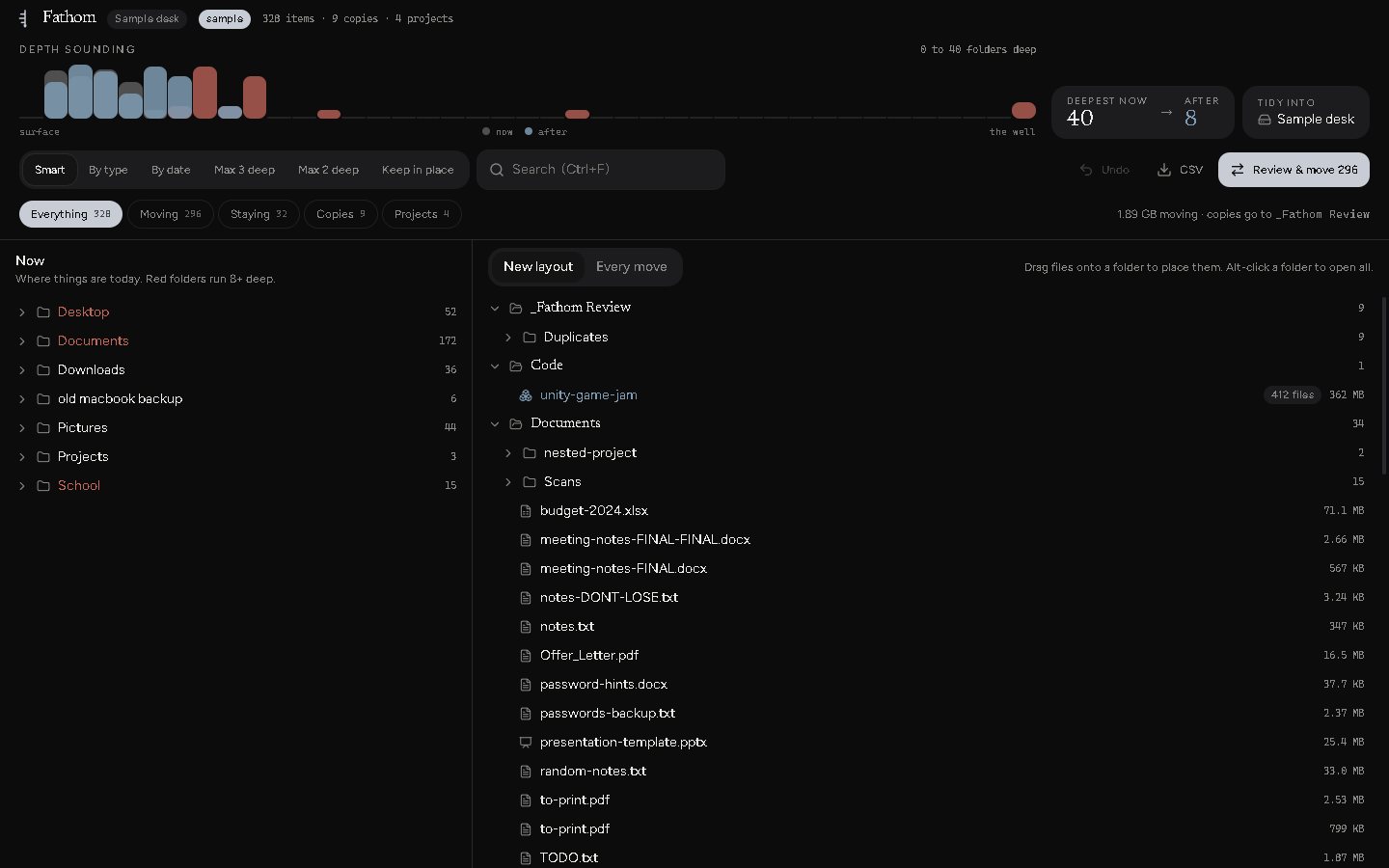
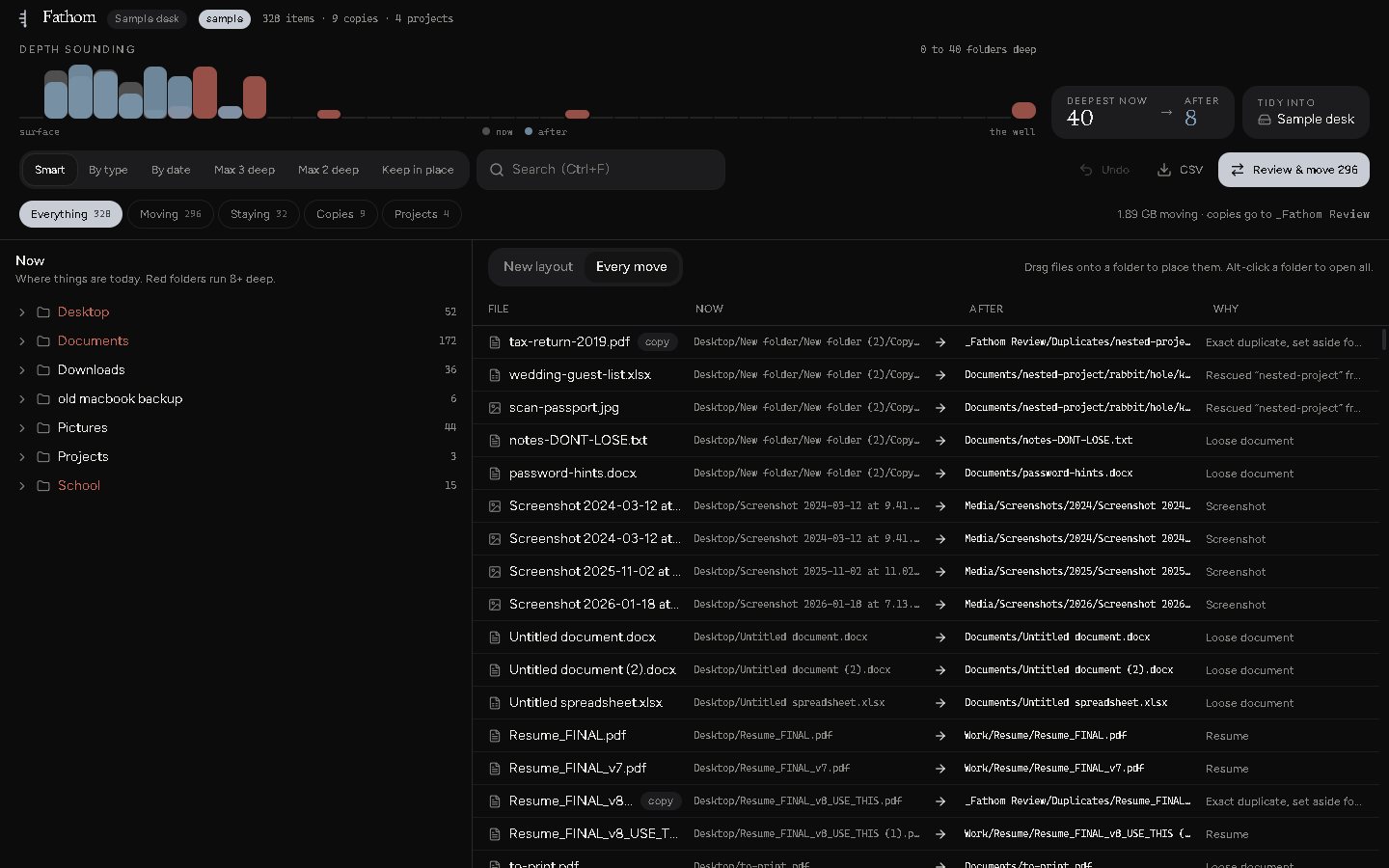
Italy 2019 or Stems for Album, is one thing and moves whole. Folders that say nothing (New folder, untitled 3, final FINAL) get folded away. Code projects move as one piece. Exact copies go to a review folder.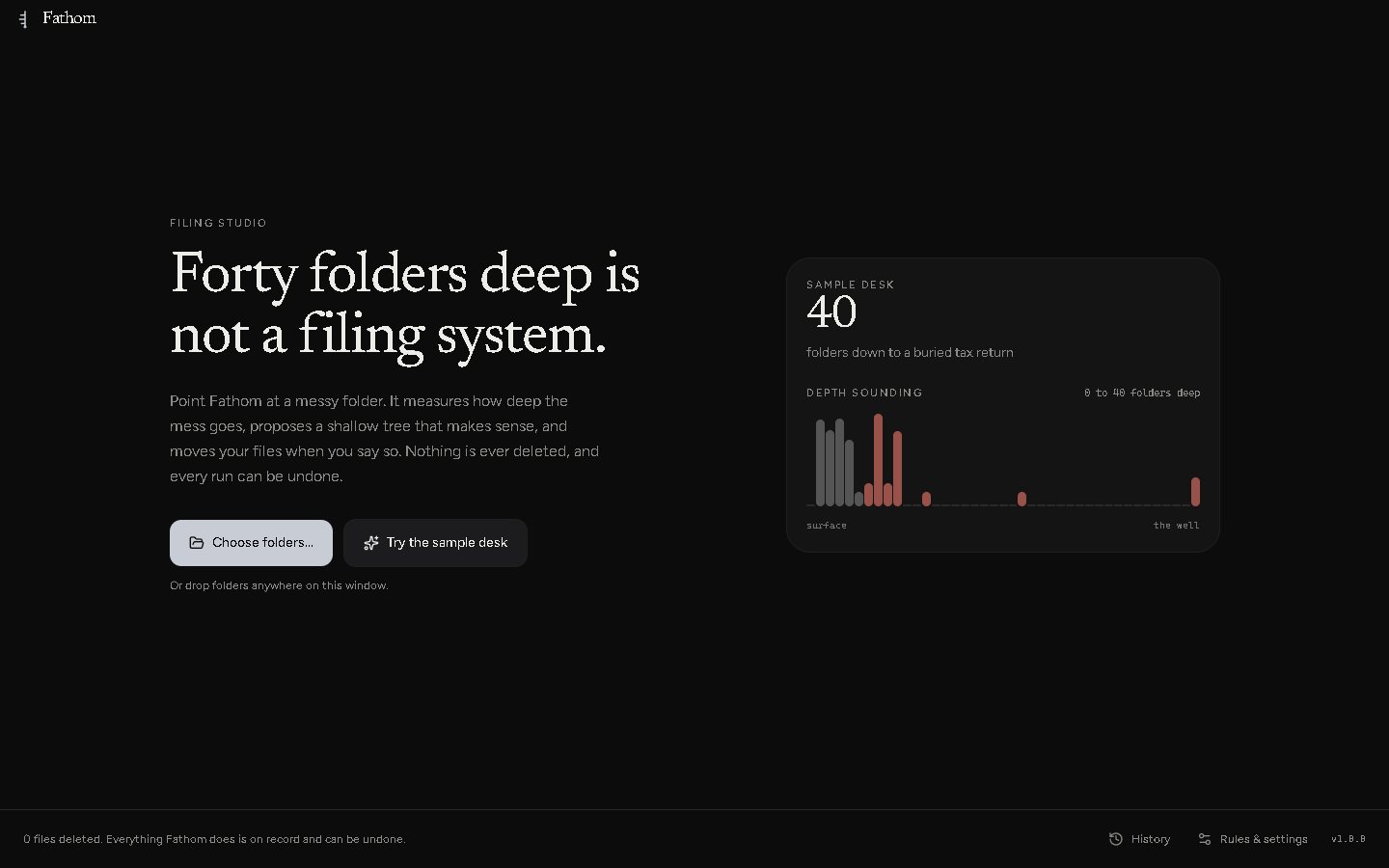
749,000files, first real run
Mostly that folder of taken-apart Android apps. Fathom scattered every source file across the drive, flagged 504,000 library files as duplicates, and filed a file called w2.smali under Finance/Taxes. Because it said W2. It is a smali file. The IRS does not want it. Fathom now knows the difference between a tax form and code.
312 of 315items it wanted to move
Early Smart mode looked at one folder and planned to move nearly everything in it. That's a house fire with a progress bar. It now plans by folder instead of file by file.
789 → 17moves on my Desktop
Same Desktop, after the fix. An old family backup went from 312 planned moves to 24. A tidy-up should be a few confident moves, and now it is.
"Don't touch"now means don't touch
Fathom leaves alone any folder whose name says "Do Not Modify" or "Don't touch". It took a surprising amount of code to respect the most direct instruction a folder can give.
_Fathom Review/Duplicates, with their old folder structure intact.name (2).name (restored).Windows 10 and 11, 64-bit. Grab Fathom-Setup-1.0.0.exe to install it, or Fathom-1.0.0-portable.exe to run it without installing.
The builds aren't code-signed yet, so Windows may say "Windows protected your PC" the first time. Click More info, then Run anyway.
Open source under the MIT license. Built with Electron, React and TypeScript, with 274 automated tests standing between your files and my bad ideas. Built with help from Claude.